Think about the last time you opened a website and watched a blank screen for several seconds. You probably did not admire the branding, read the headline or explore the services. You simply left. That small moment explains why website speed is no longer a technical detail hidden in the background. It shapes a visitor’s first impression before the design or content gets a chance to do its job.
For businesses competing for attention online, website speed optimization has a direct connection to search visibility, user satisfaction and conversions. A fast website feels dependable. It helps people find information without friction, encourages them to browse more pages and makes it easier for them to complete an enquiry or purchase. A slow website does the opposite, even when the product, service or design is excellent.
What Is Website Speed Optimization?
Website speed optimization is the process of improving how quickly a website loads, becomes interactive and remains visually stable while someone uses it. It is not limited to shrinking images or buying faster hosting. It also involves how the website’s code is written, how files are delivered, how scripts are loaded and how well the site performs on real mobile connections.
A page can appear to load quickly but still feel frustrating. For example, the main image may appear fast while a button remains unresponsive, or the layout may suddenly shift as an advertisement or font loads. That is why modern performance work considers the complete experience rather than one simple load-time number.
Why Website Speed Matters for SEO
Google’s search systems aim to reward pages that provide a helpful overall experience. Core Web Vitals are among the signals used to understand that experience, although speed alone does not guarantee a top ranking. Relevance, content quality, authority, accessibility, mobile usability and many other factors still matter. The sensible goal is not to chase a perfect test score; it is to remove performance problems that make a useful page harder to use.
1. Core Web Vitals Measure Real User Experience
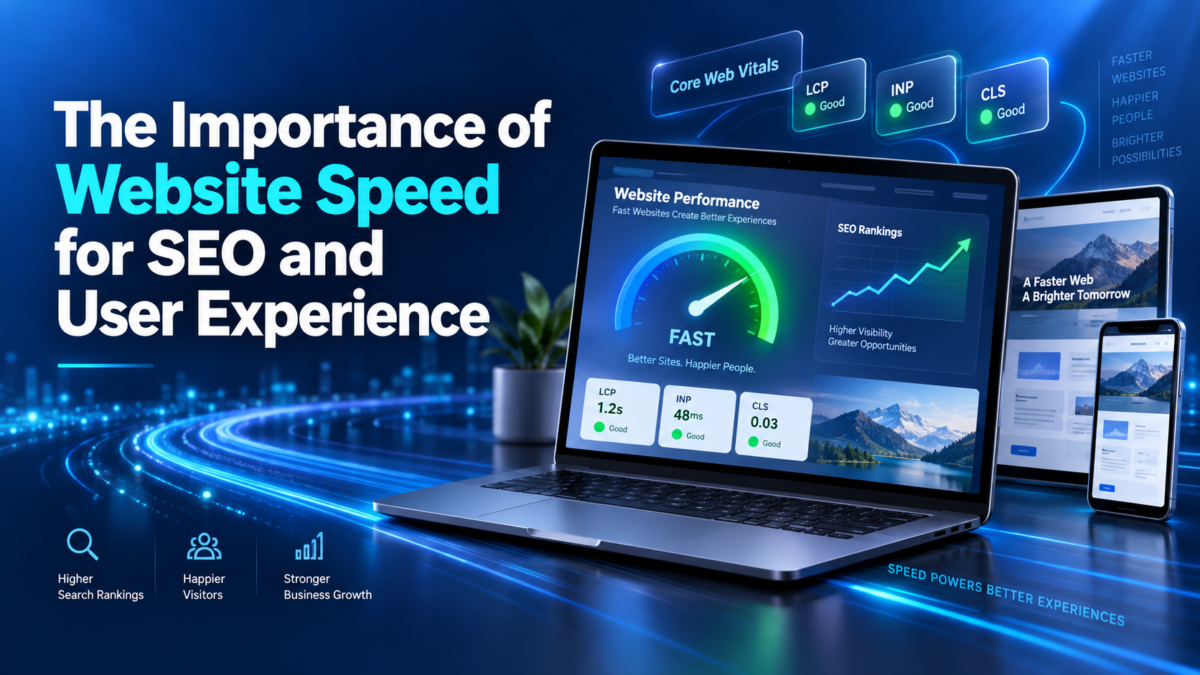
Google’s current Core Web Vitals focus on three areas. Largest Contentful Paint (LCP) measures loading performance, Interaction to Next Paint (INP) measures responsiveness, and Cumulative Layout Shift (CLS) measures visual stability. Google recommends an LCP within 2.5 seconds, an INP of 200 milliseconds or less, and a CLS score of 0.1 or less for a good experience. These targets should be met at the 75th percentile of page visits across mobile and desktop users.
These metrics are useful because they reflect what visitors actually feel. They ask practical questions: Did the main content appear promptly? Did the page respond when the user tapped? Did the content stay in place instead of jumping around?
2. Faster Pages Help Search Engines Use Resources Efficiently
A clean, efficient website is generally easier for browsers and search crawlers to process. Large files, repeated redirects, unnecessary scripts and slow server responses add friction to every request. Improving these areas does not replace good technical SEO, but it supports a healthier website that can be crawled, rendered and maintained more efficiently.
3. Speed Strengthens the Value of Your Content
A detailed article is not useful if readers abandon the page before it opens. A beautifully designed service page cannot generate leads if the contact form takes too long to respond. Website speed optimization protects the investment you have already made in content, design and SEO by ensuring visitors can reach and use those assets without unnecessary delay.
Why Website Speed Matters for User Experience
People do not separate performance from design. To a visitor, a slow page is simply a poor website. Speed influences how smooth, modern and trustworthy the entire experience feels.
A Faster Website Creates a Better First Impression
Visitors form opinions quickly. When the main content appears promptly and navigation responds without delay, the business feels organised and professional. This matters especially for service companies, ecommerce stores, healthcare providers and financial businesses, where trust is an important part of the decision.
Mobile Visitors Often Have Less Patience and Slower Connections
A website that performs well on an office broadband connection may struggle on a mid-range phone using mobile data. Heavy images, animations and third-party scripts can create long delays. Because mobile users often search while travelling, comparing options or trying to contact a business quickly, a lightweight and responsive experience is essential.
Speed Makes Every Customer Journey Easier
Performance affects every step: opening a landing page, viewing a product, applying a filter, adding an item to a cart, submitting a form and receiving confirmation. A delay at any point can interrupt the journey. Small improvements across several steps can make the website feel dramatically easier to use.
How Slow Website Speed Affects Business Results
A slow website does more than irritate visitors. It can reduce the return on SEO, advertising and content marketing. Paid campaigns may still generate clicks, but the landing page can lose those visitors before the offer is seen. Organic rankings may bring impressions, but a frustrating page can weaken engagement and reduce enquiries. Ecommerce customers may abandon a product or checkout flow simply because it feels unreliable.
The cost is not always obvious in one analytics report. It may appear as fewer completed forms, lower product-page engagement, shorter sessions, repeated customer complaints or weaker performance on mobile devices. That is why speed should be treated as an ongoing business metric, not a one-time development task.
Common Problems That Make Websites Slow
Oversized images
Uploading a large camera image and displaying it as a small banner wastes data. Images should be resized, compressed and served in modern formats where appropriate.
Too much JavaScript
Large bundles, unused plugins and multiple tracking scripts can delay rendering and block interaction. Every script should justify its performance cost.
Poor hosting or slow server response
Even a well-designed front end will feel slow if the server takes too long to begin sending the page. Hosting quality, caching and backend efficiency all matter.
Render-blocking CSS and fonts
Stylesheets and font files can delay visible content. Critical resources should be prioritised, and unnecessary variants should be removed.
No caching or content delivery network
Without sensible caching, visitors may download the same files repeatedly. A CDN can also deliver static assets from locations closer to the user.
Uncontrolled third-party tools
Chat widgets, maps, video embeds, ad networks and analytics tools can add significant weight. Load them carefully and only where they provide real value.
Practical Website Speed Optimization Steps
Measure before making changes
Start with PageSpeed Insights, Lighthouse and the Core Web Vitals report in Google Search Console. Compare field data from real users with controlled lab tests. They answer different questions and work best together.
Optimise images and video
Serve correctly sized images, compress them without visible quality loss, use responsive image attributes and lazy-load media that begins below the fold. Avoid autoplay video backgrounds on mobile unless they are genuinely necessary.
Reduce unnecessary code
Remove unused CSS and JavaScript, limit heavy plugins, split large bundles and delay non-critical scripts. A simpler page is often faster, easier to maintain and less likely to break.
Improve server delivery
Use page caching, browser caching, compression and a suitable CDN. Review database queries and backend logic if the initial server response is slow.
Prioritise the content users see first
Load the main heading, hero image and primary call to action promptly. Preload only truly critical resources; overusing preload can compete with the files that matter most.
Prevent layout shifts
Reserve width and height for images, ads and embeds. Avoid inserting banners above existing content after the page has started loading. Use stable font-loading strategies.
Test on real devices
Do not rely only on a powerful desktop computer. Check the website on common phones, smaller screens and slower network conditions. Real-world testing often reveals issues that a development environment hides.
Website Speed Optimization Is Not a One-Time Fix
Websites change. New landing pages are added, plugins are updated, tracking tools are installed and content teams upload fresh images. A site that is fast today can gradually become slow. Performance therefore needs regular monitoring, especially after a redesign, major feature launch or marketing integration.
Set a practical performance budget for page weight, images and scripts. Review Core Web Vitals in Search Console, monitor important templates and check your highest-value landing pages. If performance drops, identify the change that caused it rather than applying random optimisation plugins.
Final Thoughts
Website speed sits at the point where SEO, design, development and customer experience meet. It helps search engines recognise a stronger page experience, but its biggest value is simpler: people can use the website without waiting or struggling.
Effective website speed optimization does not mean removing every image, animation or useful feature. It means delivering those elements thoughtfully, so they support the visitor instead of slowing them down. When a website is fast, stable and responsive, content gets read, calls to action get noticed and customers can move forward with confidence.
Frequently Asked Questions
What is website speed optimization?
It is the process of improving loading performance, responsiveness and visual stability by optimising images, code, hosting, caching, fonts and third-party resources.
Does website speed directly affect SEO?
Core Web Vitals are used by Google’s ranking systems, but speed is only one part of the overall page experience. Helpful, relevant content remains essential.
What is a good website loading speed?
A useful benchmark is Google’s Core Web Vitals guidance: LCP within 2.5 seconds, INP at 200 milliseconds or less, and CLS at 0.1 or less for at least 75% of visits.
Which tools can check website speed?
PageSpeed Insights, Chrome Lighthouse, Chrome DevTools and Google Search Console’s Core Web Vitals report are reliable starting points.
How often should website performance be checked?
Review it regularly and after any major design, plugin, tracking, hosting or content change. High-traffic and revenue-generating pages deserve closer monitoring.
SEO Publishing Details
SEO title: Website Speed Optimization: Why It Matters for SEO and UX
Meta description: Discover why website speed optimization is essential for SEO, user experience and conversions, plus practical ways to improve site performance.
Businesses investing in digital advertising usually face one important question: should they spend their budget on Google Ads or Meta Ads?
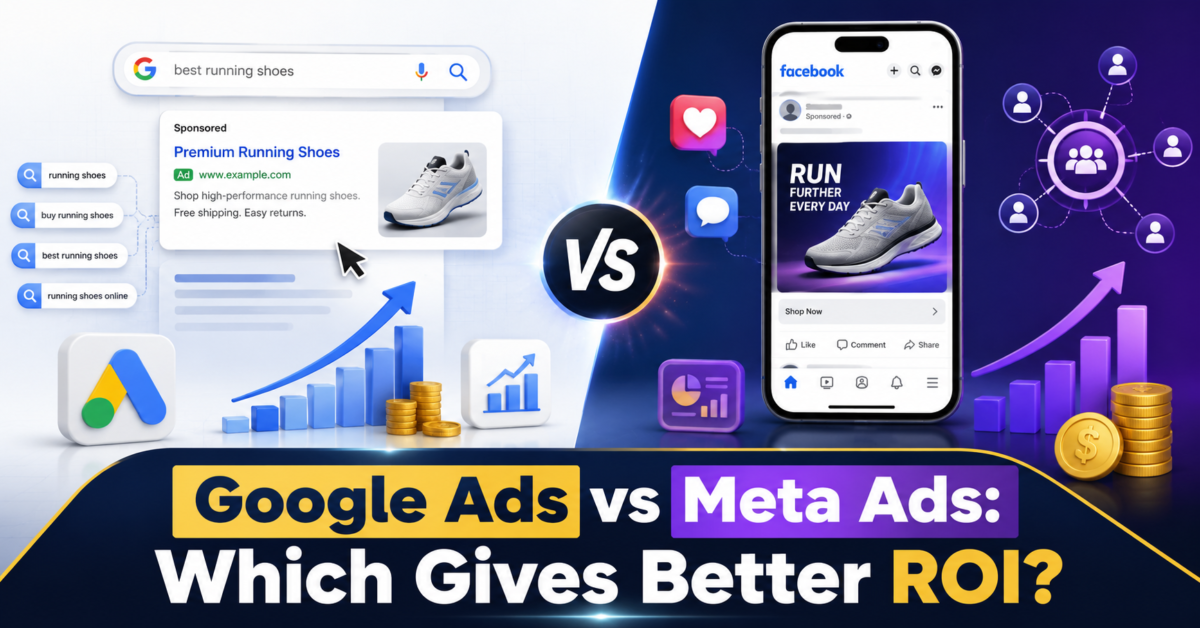
Both platforms can generate leads, sales and measurable business growth. However, they work in very different ways. Google Ads generally connects businesses with people who are actively searching for a product or service. Meta Ads, which run across Facebook and Instagram, help businesses reach people based on their interests, behaviour and demographics—even when they are not actively searching.
So, in the debate between Google Ads vs Meta Ads, which platform actually provides a better return on investment?
The answer depends on your business model, target audience, advertising objective, budget and the stage of the customer journey you want to influence.
Understanding Google Ads
Google Ads is an intent-based advertising platform. It allows businesses to show advertisements when users search for relevant products, services or information.
For example, someone searching for “best web development company in Kolkata” is already expressing a clear requirement. A web development agency bidding on that keyword has an opportunity to reach the potential customer at the exact moment they are looking for assistance.
Google Search campaigns can be used to generate sales, leads and website traffic by reaching people who are actively searching for specific products or services. Google Ads Help
Google Ads offers several campaign types, including:
Search campaigns
Display campaigns
Shopping campaigns
Video campaigns
App campaigns
Demand Gen campaigns
Performance Max campaigns
Performance Max campaigns can also place advertisements across Google Search, YouTube, Display, Discover, Gmail and Maps using a single goal-based campaign. Google Ads Help
Major Advantages of Google Ads
High Search Intent
Google Ads reaches users who are already searching for a solution. This usually makes Search campaigns particularly valuable for businesses offering services that people actively need.
Immediate Search Visibility
SEO can take time to generate strong organic rankings. Google Ads gives businesses an opportunity to appear prominently for selected searches as soon as an eligible campaign begins running.
Strong Keyword Control
Advertisers can select keywords, use negative keywords, control geographical targeting and adjust bids according to their objectives.
Suitable for Urgent Services
Google Ads can work well for services where customers need an immediate solution, such as:
Emergency repair services
Healthcare appointments
Legal assistance
Property enquiries
Home services
Local professional services
B2B software requirements
Measurable Conversions
Google Ads allows businesses to define valuable actions such as purchases, enquiries, registrations and phone calls as conversions. Google Ads Help
Understanding Meta Ads
Meta Ads allow businesses to advertise across Facebook, Instagram, Messenger and other eligible Meta placements.
Unlike Google Search Ads, Meta Ads usually do not depend on users actively searching for a particular service. Instead, advertisers reach people using factors such as interests, demographics, location, previous interactions and behavioural signals.
Meta provides campaign objectives that include awareness, traffic, engagement, leads, app promotion and sales. Meta Business Help Center
This makes Meta Ads especially effective for visually appealing products, audience discovery, brand awareness and demand generation.
Major Advantages of Meta Ads
Strong Visual Storytelling
Meta supports engaging image, video, carousel and Reels advertisements. Businesses can demonstrate their products, explain their services and build emotional connections through creative storytelling.
Detailed Audience Targeting
Businesses can reach audiences based on relevant characteristics and optimise campaigns around specific advertising objectives.
Effective for Building Demand
A potential customer may not search for a new clothing brand, interior designer, restaurant or fitness programme. However, an attractive Facebook or Instagram advertisement can introduce the offering and create interest.
Lead Generation Within Meta
Meta’s lead objective allows businesses to find potential customers and collect enquiries. Meta Business Help Center
Instant forms can also reduce the number of steps users need to complete before submitting their information.
Retargeting Opportunities
Businesses can reconnect with people who have previously visited their website, interacted with social content or engaged with advertisements.
Google Ads vs Meta Ads: Key Differences
Comparison Area
Google Ads
Meta Ads
Primary targeting approach
Search intent and audience signals
Interests, behaviour and audience signals
Customer mindset
Often actively looking for a solution
Often browsing or discovering content
Best suited for
High-intent leads and direct demand
Awareness, discovery and visual engagement
Main creative formats
Text, product, image and video ads
Images, videos, carousels, Stories and Reels
Typical customer journey
Captures existing demand
Creates and nurtures demand
Keyword targeting
Strong keyword-based Search options
No traditional search-keyword bidding
Visual storytelling
Available but not always central
A major platform strength
Lead generation
Landing pages, calls and lead forms
Websites, messages and instant forms
Remarketing
Available
Available
ROI potential
Strong when search intent is high
Strong when creative and audience targeting work together
Which Platform Generates Better-Quality Leads?
When comparing Google Ads vs Meta Ads, lead quality is often one of the biggest concerns.
Google Search Ads may generate stronger high-intent leads because users are actively searching for a service. Someone searching for “commercial solar panel installation” or “hire a Laravel developer” is more likely to have an immediate requirement.
Meta Ads may generate a larger volume of enquiries at a lower initial cost in some campaigns. However, not every enquiry will necessarily have the same level of purchasing intent.
That does not mean Meta leads are automatically lower quality. Lead quality depends on:
The campaign objective
Audience targeting
Advertisement copy
Creative quality
Offer relevance
Form questions
Landing-page experience
Lead follow-up process
Conversion tracking
A well-structured Meta campaign with qualifying questions and fast follow-up can produce valuable customers. Similarly, a poorly targeted Google Ads campaign can attract irrelevant clicks and waste money.
Which Platform Is More Cost-Effective?
There is no universal answer because advertising costs vary according to industry, competition, location, audience size, placement and campaign quality.
Google Search clicks can become expensive in competitive sectors because several businesses may bid for the same high-value keywords. However, a higher cost per click may still be profitable when the searcher has strong buying intent.
Meta Ads can sometimes provide broader reach and lower-cost engagement, but reach alone does not guarantee revenue. A campaign can attract thousands of views without producing meaningful enquiries if the creative, offer or targeting is weak.
Cost-effectiveness should therefore be evaluated using business outcomes rather than only cost per click.
Important metrics include:
Cost per qualified lead
Customer acquisition cost
Conversion rate
Average order value
Lead-to-sale rate
Revenue generated
Return on ad spend
Customer lifetime value
Google Ads vs Meta Ads for Different Business Types
Local Service Businesses
Google Ads is often a strong starting point for dentists, electricians, lawyers, repair companies, clinics and local consultants because customers frequently search when they need these services.
Meta Ads can support these businesses through local awareness, promotional campaigns, customer testimonials and retargeting.
E-commerce Businesses
Meta Ads can introduce products through attractive videos, lifestyle images, carousels and Reels. This makes the platform useful for fashion, beauty, accessories, home décor and other visually driven categories.
Google Shopping, Search and Performance Max campaigns can capture users who are actively comparing or searching for products.
For many e-commerce businesses, using both platforms provides better coverage across the purchasing journey.
B2B Companies
Google Ads can perform well when business customers search for specific solutions such as CRM software, industrial equipment, development services or corporate consulting.
Meta Ads may support B2B campaigns through brand awareness, educational content, retargeting and founder-focused messaging. However, targeting and lead qualification require careful planning.
Real Estate
Google Ads can capture searches related to specific locations, property types and buying requirements.
Meta Ads can present projects through videos, walkthroughs, amenities, lifestyle visuals and lead forms. Real estate advertisers may therefore benefit from using Meta for discovery and Google for high-intent enquiries.
Restaurants, Events and Lifestyle Brands
Meta Ads are generally well suited to visually driven promotions, new launches, special events, food imagery and local engagement.
Google Ads can still be valuable for location-based searches such as “restaurant near me,” event searches and branded queries.
High-Ticket Professional Services
For services such as software development, legal consulting, premium real estate or business consulting, Google Ads may capture stronger initial intent.
Meta Ads can build familiarity through educational videos, case studies, client testimonials and retargeting before the customer makes an enquiry.
When Google Ads May Provide Better ROI
Google Ads may provide better ROI when:
Customers actively search for your service
Your business solves an urgent problem
You target high-intent commercial keywords
Your landing page is designed for conversion
Your sales team responds quickly
The value of each customer justifies the advertising cost
Conversion and call tracking are configured correctly
Your campaign excludes irrelevant search terms
Google Ads conversion measurement can track actions users take after interacting with an advertisement. Accurate tracking is essential for understanding campaign performance and improving bidding decisions. Google Ads Help
When Meta Ads May Provide Better ROI
Meta Ads may provide better ROI when:
Your product is visually appealing
Customers need to discover your brand before searching
Your objective is awareness or audience building
Short-form video can demonstrate the product effectively
You have strong offers and engaging creatives
You want to generate enquiries through instant forms or messages
You have enough creative variations for testing
You want to retarget engaged users
Meta’s sales objective is designed for campaigns that seek people who are likely to purchase a product or service. Meta Business Help Center
Why Tracking Matters More Than the Platform
Businesses sometimes declare that Google Ads or Meta Ads “does not work” after running a campaign for a short period. In many cases, the real issue is incomplete tracking.
If a business tracks only clicks but not qualified enquiries, sales or revenue, it cannot accurately measure ROI.
A proper measurement system should ideally connect:
Advertisement clicks or views
Website visits or form submissions
Phone calls and messages
Qualified leads
Confirmed customers
Revenue generated
Google supports website conversion tracking, call tracking and offline conversion imports. Enhanced conversions can also use hashed first-party customer information to improve measurement accuracy. Google Ads Help
Businesses should also ensure that Meta campaigns are connected to the appropriate tracking and customer-management systems wherever possible.
Should You Use Google Ads and Meta Ads Together?
For many businesses, the best strategy is not choosing one platform and ignoring the other. Google Ads and Meta Ads can support different stages of the same customer journey.
A potential customer may:
See your video on Instagram
Visit your website
Leave without making an enquiry
Search for your service on Google later
Click a Search Ad
Return to your website
Submit an enquiry
In this situation, Meta helped create awareness while Google captured the later search intent.
A combined strategy may look like this:
Use Meta Ads to introduce the brand and create demand
Use Google Search Ads to capture high-intent searches
Retarget website visitors and engaged users
Test separate offers for cold and warm audiences
Measure qualified leads and sales across both platforms
Allocate more budget according to profitable results
Common Mistakes That Reduce Advertising ROI
Regardless of the platform, the following mistakes can reduce returns:
Running campaigns without conversion tracking
Sending all traffic to the homepage
Using a slow or confusing landing page
Targeting an audience that is too broad or too narrow
Ignoring negative keywords in Google Ads
Using one creative for too long on Meta
Optimising for clicks instead of meaningful conversions
Failing to qualify leads
Responding to enquiries too slowly
Judging performance after only a few days
Comparing platforms using different attribution methods
Google Ads vs Meta Ads: Which Gives Better ROI?
Google Ads may deliver better ROI when customers are already searching for a specific solution and the business can convert that intent into a sale.
Meta Ads may deliver better ROI when a business needs to create awareness, demonstrate a visually appealing product, reach new audiences or generate demand before people begin searching.
The practical verdict is:
Choose Google Ads for high-intent search demand.
Choose Meta Ads for discovery, visual storytelling and audience development.
Use both platforms when you want to reach customers throughout the complete buying journey.
The platform alone does not determine ROI. Strategy, creative quality, targeting, offer, landing-page experience, measurement and follow-up all influence the final result.
Frequently Asked Questions
Is Google Ads better than Meta Ads?
Google Ads may be better for capturing users who are actively searching for a product or service. Meta Ads may be better for brand discovery, visual promotion and audience building.
Which platform is better for lead generation?
Google Ads can generate high-intent leads, while Meta Ads can generate leads through forms, messages and visually engaging campaigns. The better option depends on the business and campaign structure.
Is Meta Ads cheaper than Google Ads?
Meta Ads may sometimes offer lower costs for reach, engagement or initial enquiries. However, businesses should compare qualified-lead costs and sales rather than only click costs.
Which is better for small businesses?
Local service businesses may begin with Google Search Ads when customers actively search for their services. Visually driven or lifestyle businesses may find Meta Ads more suitable for initial promotion.
Can Google Ads and Meta Ads work together?
Yes. Meta Ads can generate awareness, while Google Ads captures people when they later search for a relevant solution.
How should advertising ROI be calculated?
A basic ROI calculation is:
ROI = (Revenue attributed to advertising − Advertising cost) ÷ Advertising cost × 100
Businesses should include advertising spend, agency fees, creative production and other relevant campaign costs where appropriate.
How long should campaigns run before evaluating performance?
Campaigns need enough time and conversion data to produce a meaningful evaluation. The appropriate duration depends on budget, sales cycle, conversion volume and campaign type.
Final Thoughts
The Google Ads vs Meta Ads decision should begin with customer behaviour.
If people already search for your offering, Google Ads can help you capture that demand. If your audience needs to discover, understand or become interested in your offering, Meta Ads can help create that demand.
For many growing businesses, the strongest approach is a coordinated strategy that uses Meta for awareness and engagement, Google for search intent, and accurate tracking to identify which campaigns generate qualified leads and profitable customers.
Need help selecting the right advertising platform? Start with a professional campaign audit, define your conversion goals and build a strategy based on measurable business outcomes—not clicks alone.
If you run a local business, being visible online is no longer optional. Customers are searching for restaurants, doctors, salons, real estate companies, service providers, retailers and professional services near them every day. The businesses that appear at the right moment in those searches have a much better chance of getting the call, message, visit or sale.
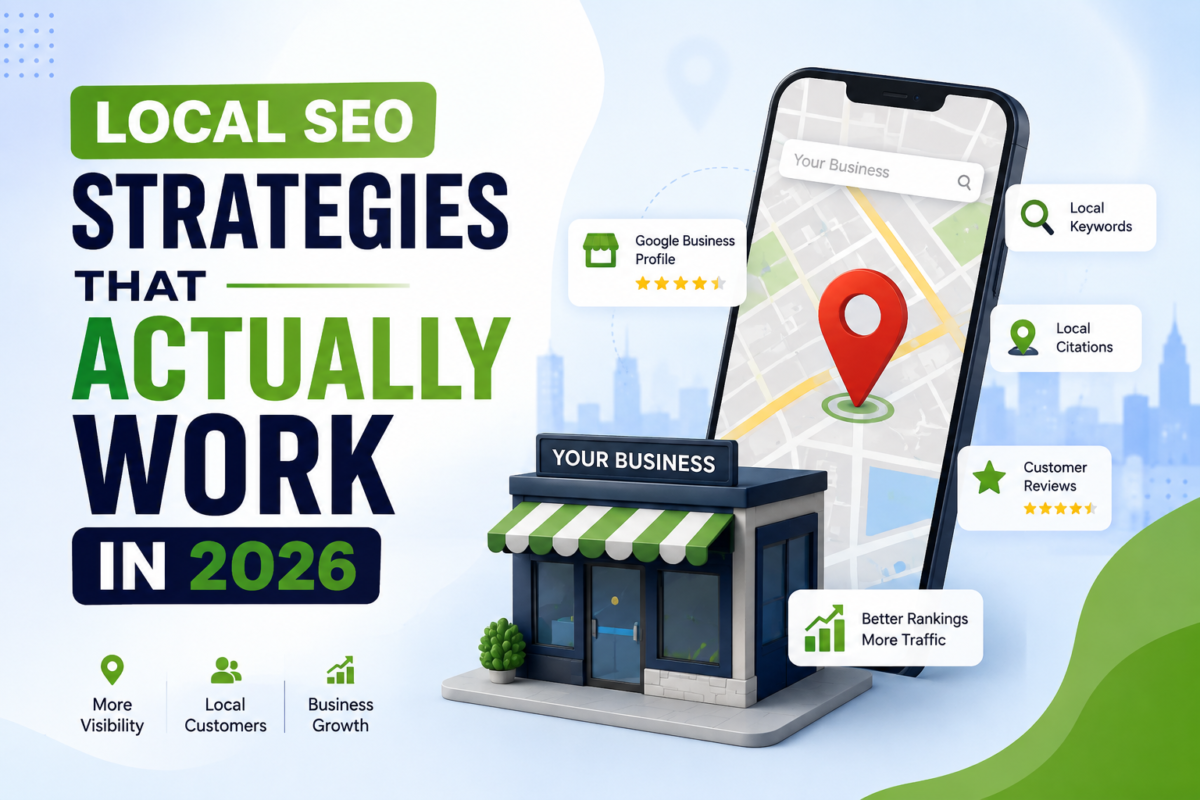
Local SEO helps businesses improve their visibility when people search for products or services in a specific location. But in 2026, simply adding a city name to your website or creating a Google Business Profile is not enough. Search engines are becoming better at understanding relevance, location, reputation, reviews and user intent.
The good news is that businesses don’t need hundreds of complicated tactics. They need to get the fundamentals right and consistently build a trustworthy local presence.
Here are somelocal SEO strategies that actually work in 2026.
What Is Local SEO?
Local SEO is the process of improving a business’s online presence so that it can appear prominently in searches connected to a particular geographic area.
For example, someone might search:
best restaurant near me
dentist in Kolkata
digital marketing agency in Kolkata
AC repair near me
best salon in Salt Lake
real estate company in New Town
These searches have strong local intent. The person isn’t just looking for information—they may be looking for a business they can contact or visit.
A strong local SEO strategy helps your business become more visible during these high-intent searches.
1. Optimize Your Google Business Profile
For most local businesses, Google Business Profile remains one of the most important parts of a local SEO strategy.
Your profile should be complete, accurate and regularly maintained.
Make sure you have:
Correct business name
Accurate address
Working phone number
Website URL
Business category
Relevant secondary categories
Opening hours
Business description
Service information
High-quality photographs
Don’t treat your profile as something you create once and forget.
Regularly add genuine business updates, photographs, services and other relevant information.
The goal is simple: when someone finds your business through Google, they should immediately understand who you are, what you offer and where you’re located.
2. Focus on Local Search Intent
One of the biggest mistakes businesses make is focusing only on broad keywords.
For example, a web development company might target:
“web development company”
But a person looking for a nearby provider may search:
“web development company in Kolkata”
or:
“website development company near me.”
These searches have different intent.
Your local SEO strategy should identify the phrases your potential customers actually use when looking for your products or services.
Think about:
What service are they looking for?
Where are they located?
Are they ready to buy?
Are they searching for a nearby business?
What questions do they ask before contacting a business?
This helps you create pages and content that match real search behavior.
3. Create Location-Specific Website Pages
If your business serves multiple cities or areas, location-specific landing pages can be extremely useful.
For example, a digital agency could create pages such as:
Digital Marketing Agency in Kolkata
SEO Company in Kolkata
Web Development Company in Kolkata
Web Design Company in Salt Lake
SEO Services in New Town
However, don’t create dozens of pages by simply changing the location name.
Each location page should provide genuinely useful information about that market.
Include:
Services offered
Areas served
Local customer needs
Relevant projects
FAQs
Contact information
Local references where appropriate
This creates useful landing pages rather than thin, duplicate content.
4. Keep Your Business Information Consistent
Your business information should be consistent across your website and other important online platforms.
Pay particular attention to:
Name
Address
Phone number
Website
If different platforms show conflicting information, it can create confusion for both customers and search engines.
Create a standard business profile and use the same core information wherever your business is legitimately listed.
5. Get Genuine Customer Reviews
Reviews are extremely important for local businesses.
Think about your own behavior. If you’re choosing between two restaurants, clinics or service providers, you’re probably going to look at reviews before making a decision.
Encourage genuine customers to leave honest reviews after completing a purchase or service.
Don’t buy reviews or create fake ones.
Instead:
Deliver a good experience.
Ask satisfied customers for feedback.
Make the review process easy.
Respond professionally to reviews.
Learn from negative feedback.
A business with a healthy collection of authentic reviews can build much stronger trust with potential customers.
6. Respond to Reviews Properly
Getting reviews is only part of the job.
Responding to reviews shows that your business is active and cares about customers.
For positive reviews, a simple personalized response can work well.
For negative reviews:
Stay professional.
Don’t argue.
Acknowledge the concern.
Explain the next step.
Take the conversation offline when appropriate.
Avoid copying the same response to every customer.
Personalized responses feel more genuine and can strengthen your brand reputation.
7. Build Local Citations and Relevant Listings
Local citations are online references to your business, often including your name, address and phone number.
Relevant business directories, industry websites and local platforms can help strengthen your online presence.
But quality matters more than quantity.
Don’t submit your business to hundreds of low-quality directories simply to build links.
Focus on:
Relevant industry directories
Trusted local directories
Professional organizations
Local business associations
Legitimate review platforms
A few relevant and trustworthy references are generally more valuable than a huge collection of spammy listings.
8. Build Locally Relevant Backlinks
Backlinks remain an important part of SEO, and local businesses can benefit from links that are relevant to their area and industry.
For example, a Kolkata-based business could potentially earn links through:
Local publications
Business associations
Community organizations
Industry events
Local partnerships
Genuine local sponsorships
Relevant news coverage
The goal isn’t to buy hundreds of links.
The goal is to become a business that other relevant websites naturally want to mention.
9. Create Content Around Local Problems
This is one of the most underused local SEO strategies.
Instead of writing generic articles that every competitor is already publishing, create content around questions your local customers actually have.
For example:
“How Much Does a Website Cost in Kolkata in 2026?”
“Best Areas in Kolkata for Starting a New Business”
“How Local Businesses in Kolkata Can Generate More Leads Online”
“Things to Check Before Hiring a Digital Marketing Agency in Kolkata”
This type of content can attract people who are already interested in your market.
10. Optimize Your Website for Mobile Users
A large portion of local searches happen on smartphones.
Imagine someone searching for:
“restaurant near me”
while walking through a neighborhood.
They aren’t going to wait ten seconds for a website to load.
Your website should be:
Mobile-friendly
Fast
Easy to navigate
Easy to call
Easy to find
Easy to contact
Make important information immediately accessible.
For local businesses, your phone number, address, directions and contact options should never be difficult to find.
11. Improve Website Speed and Core Web Vitals
A beautiful website isn’t useful if it performs poorly.
Optimize:
Images
JavaScript
CSS
Fonts
Server response time
Mobile layouts
Third-party scripts
Avoid unnecessary animations that slow down the experience.
A fast website can provide a better user experience and supports your broader SEO strategy.
12. Add Local Business Schema
Structured data can help search engines better understand important information about your business.
Depending on the business, relevant structured data may include:
LocalBusiness
Organization
Service
Product
BreadcrumbList
FAQPage where appropriate
Include accurate information.
Don’t add fake ratings, reviews or business details just to gain visibility.
Structured data should describe what is genuinely present on your website.
13. Create Dedicated Service Pages
Don’t put every service on a single page.
If you offer multiple services, create dedicated pages.
For example:
SEO Services
Local SEO Services
Web Development
Digital Marketing
Social Media Marketing
Google Ads
Each page can target a different search intent while providing detailed information about the service.
This also creates more opportunities for internal linking.
14. Strengthen Internal Linking
Internal links are often overlooked.
When you publish a blog post about local SEO, link naturally to your relevant service page.
For example:
Local SEO Strategies That Actually Work in 2026
→ Local SEO Services
→ SEO Services
→ Digital Marketing Services
This helps users discover related information and creates a clearer website structure for search engines.
15. Don’t Ignore “Near Me” Searches
Businesses often try to rank for phrases containing their city name but forget about location-based intent such as:
“near me”
Search engines can use location signals to understand where the searcher is and which businesses may be relevant.
You don’t need to create a page called:
“Best SEO Company Near Me.”
Instead, build a strong local presence through:
Accurate business information
Relevant local content
Strong reviews
Local links
Good website structure
Geographic relevance
That’s a much more sustainable approach.
16. Use High-Quality Local Images
Images can strengthen your local presence when they’re relevant and authentic.
Use photographs of:
Your office
Team
Products
Store
Projects
Events
Local work
Avoid filling your website with generic stock photos that don’t represent your actual business.
For local businesses, authentic images can help potential customers feel more confident about choosing you.
17. Track What Is Actually Working
SEO should not be based on guesswork.
Monitor:
Organic traffic
Local search visibility
Search queries
Website calls
Form submissions
Direction requests
Business Profile interactions
Conversion rates
Tools such as Google Search Console and Google Analytics can help you understand how visitors discover and interact with your website.
The most important metric isn’t always rankings.
For a local business, qualified leads and customers matter more than simply being number one for a keyword.
Local SEO in 2026: What Should Businesses Avoid?
While implementing local SEO strategies, avoid shortcuts that can hurt your reputation.
Don’t:
Buy fake reviews
Create fake business locations
Stuff keywords into content
Build spammy backlinks
Create hundreds of duplicate location pages
Copy competitors’ content
Use misleading business information
Add fake schema ratings
These tactics might look attractive because they promise quick results, but sustainable local SEO is built on relevance, trust and a genuinely useful customer experience.
A Simple Local SEO Strategy for 2026
If you’re just starting, don’t try to do everything at once.
Start with these steps:
Month 1
Optimize your Google Business Profile
Fix website technical issues
Make your website mobile-friendly
Check business information consistency
Research local keywords
Month 2
Improve service pages
Create location-specific content
Start collecting genuine customer reviews
Build relevant local citations
Month 3
Publish useful local content
Build local relationships and backlinks
Improve internal linking
Track leads and conversions
Update your Google Business Profile regularly
Consistency is more important than trying to complete everything in a single week.
Final Thoughts
Local SEO in 2026 is less about manipulating search engines and more about becoming the most useful and trustworthy option for customers in your area.
A strong local SEO strategy combines a well-optimized Google Business Profile, useful website content, genuine reviews, relevant backlinks, mobile performance and a consistent online presence.
Most importantly, remember that rankings are only part of the equation.
The real goal is to turn local searches into real conversations, visits, enquiries and customers.
If your business serves a specific city or region, investing in local SEO can help you build visibility where it matters most—right in front of people who are actively looking for what you offer.
Start with the fundamentals, stay consistent, and build a local online presence that customers can trust.
Your website is open 24 hours a day, 7 days a week — but is it actually working while you sleep?
For most business owners, the honest answer is no. Traffic trickles in from Google, social media, and referrals, but very few of those visitors ever pick up the phone, fill out a form, or send an inquiry. The website looks fine. It just doesn’t convert.
Here’s the uncomfortable truth: a website that doesn’t generate leads isn’t a marketing asset — it’s a digital brochure sitting quietly in the corner of the internet. And in 2026, with Google prioritizing helpful, trustworthy, user-first content and experiences, an underperforming website doesn’t just cost you leads. It costs you visibility too.
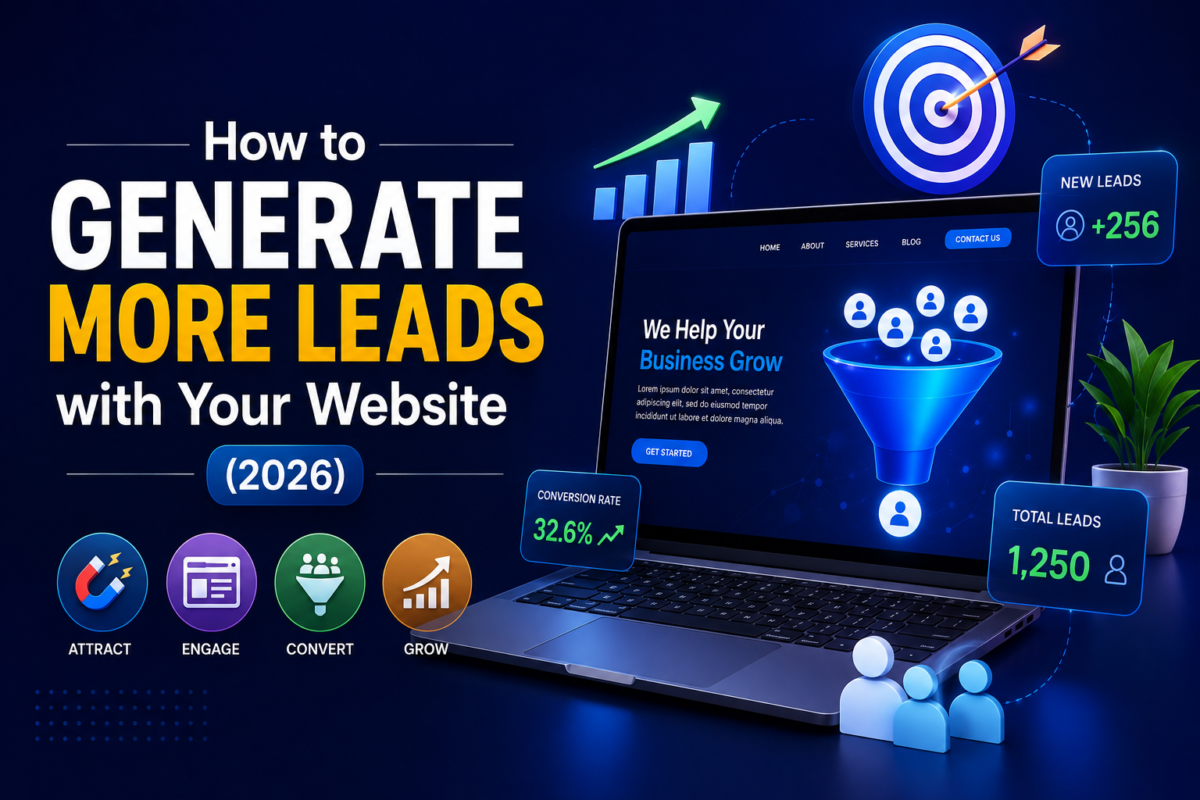
The good news is that lead generation isn’t guesswork. It’s a system — a combination of website speed, mobile responsiveness, persuasive design, strategic calls-to-action, trust signals, and search engine optimization working together. When these pieces are aligned, your website becomes what it should have been from day one: your hardest-working salesperson.
In this guide, we’ll break down exactly how to generate more leads with your website — the strategy, the psychology, the technical foundations, and the tools to measure it all. Whether you’re a small business owner, a startup founder, a SaaS company, or a marketing manager tasked with improving conversion rates, this is your complete 2026 playbook.
Before we talk about solutions, let’s talk about the problem. Most websites don’t fail to generate leads because of one big mistake — they fail because of dozens of small ones that quietly add up.
Here are the most common reasons:
No clear purpose. The homepage tries to say everything at once, so visitors leave without understanding what to do next.
Slow loading speed. Every extra second of load time increases the chance a visitor bounces before the page even renders.
Poor mobile experience. With most traffic now coming from phones, a clunky mobile layout kills conversions instantly.
Weak or missing calls-to-action. If visitors don’t see an obvious next step, they won’t take one.
Generic, templated design. Visitors form trust judgments within seconds — a dated or generic-looking site quietly signals “not credible.”
No SEO strategy. A beautiful website nobody finds on Google generates zero leads, no matter how well it converts.
Forms that ask too much. Long forms with unnecessary fields create friction and scare off otherwise-interested prospects.
No trust signals. No testimonials, no case studies, no certifications — just claims with nothing to back them up.
Research from the Nielsen Norman Group has long shown that users decide whether to stay or leave a website within seconds of arriving, largely based on visual design and immediate clarity. A widely cited Google/SOASTA study found that as page load time goes from 1 to 5 seconds, the probability of a mobile visitor bouncing increases significantly. Individually, each of these issues chips away at your conversion rate. Together, they can make an otherwise well-marketed business practically invisible online.
Real-world scenario: Imagine a local HVAC company spending $2,000 a month on Google Ads. The ads are well-targeted and the click-through rate is solid. But the landing page takes six seconds to load, has no visible phone number above the fold, and the contact form has twelve fields. Result? A high ad spend with a trickle of leads — not because the marketing failed, but because the website couldn’t close what the ads opened.
What Makes a High-Converting Website
A high-converting website isn’t about being flashy. It’s about removing friction and building confidence at every step of the customer journey. The best lead generation websites share a few core traits:
Clarity of Purpose
Within five seconds, a visitor should know: What does this business do? Who is it for? What should I do next?
Speed and Performance
Fast websites keep visitors engaged long enough to see your value proposition and take action.
Mobile-First Design
The layout, forms, and CTAs need to work flawlessly on a phone screen — not just “look okay” on one.
Strategic Visual Hierarchy
Important elements — headlines, CTAs, trust badges — are positioned where the eye naturally goes first.
Frictionless Conversion Paths
Every click between “interested” and “converted” is a chance to lose the visitor. High-converting sites minimize that distance.
Built-In Credibility
Testimonials, case studies, certifications, and security badges answer the unspoken question every visitor has: can I trust this business?
SEO Foundations
None of the above matters if nobody finds the website. Technical SEO and content strategy bring in the organic traffic that these conversion elements can then capture.
Expert insight: At Code of Dolphins, we treat every client website as a conversion funnel, not just a digital storefront. That means mapping the entire customer journey — from the first Google search to the final form submission — and optimizing every touchpoint along the way.
Importance of Website Speed
Website loading speed is one of the most underestimated levers in lead generation. It affects three things simultaneously: user experience, SEO rankings, and conversion rate.
Slow websites lose visitors before they even see your offer. Google has also confirmed that page speed and Core Web Vitals are ranking factors, meaning a slow site can hurt both your organic traffic and your conversion rate at once.
Why Speed Matters for Lead Generation
Visitors form an impression of your brand’s professionalism based on how the site performs.
Every additional second of load time raises bounce rate, especially on mobile.
Slow forms and slow page transitions cause abandonment mid-conversion.
Search engines reward fast, well-optimized websites with better visibility, which means more qualified traffic in the first place.
How to Improve Website Speed
Compress and serve next-gen image formats (WebP/AVIF).
Use a Content Delivery Network (CDN) to serve assets closer to the visitor.
Minimize and defer non-critical JavaScript and CSS.
Choose quality hosting — cheap shared hosting is often the root cause of slow load times.
Implement browser caching and lazy loading for below-the-fold content.
Audit and remove unnecessary plugins or third-party scripts (especially on WordPress).
Actionable tip: Run your homepage and top landing pages through Google PageSpeed Insights and treat anything scoring below 80 on mobile as a priority fix — not a “someday” task.
Mobile Responsiveness
More than half of global web traffic now comes from mobile devices, and for many local service businesses, that number is even higher. If your website isn’t built mobile-first, you’re not just providing a poor experience — you’re actively losing leads.
What “Mobile-Friendly” Really Means in 2026
Text is readable without pinching or zooming.
Buttons and CTAs are large enough to tap accurately with a thumb.
Forms auto-adjust keyboard types (numeric for phone fields, email keyboard for email fields).
Navigation collapses into a clean, accessible mobile menu.
Click-to-call and click-to-WhatsApp buttons are prominent and functional.
Pages load quickly on 4G/5G connections, not just Wi-Fi.
Real-world scenario: A boutique law firm redesigned its site with a mobile-first approach — moving their phone number into a sticky mobile header and simplifying their contact form to three fields. Within weeks, mobile-originated calls became their single largest lead source, overtaking desktop form submissions.
Google’s mobile-first indexing means it primarily uses the mobile version of your site for ranking and indexing. A responsive website isn’t optional anymore — it’s foundational to both SEO and lead generation.
SEO Optimization
You can have the most beautifully designed, high-converting website in your industry — but if it doesn’t rank on Google, it won’t generate leads at scale. SEO is what brings qualified visitors to your conversion machine in the first place.
Core SEO Pillars for Lead Generation Websites
On-Page SEO
Keyword-optimized titles, meta descriptions, and headers
Clear URL structures and internal linking
Optimized images with descriptive alt text
Technical SEO
Fast loading speed and strong Core Web Vitals
Mobile responsiveness
Clean site architecture and crawlability
Structured data (schema markup) for rich results
Content & Topical Authority
In-depth content that answers real search intent
Semantic keyword coverage (related terms and entities, not just exact-match keywords)
Regularly updated blog content that builds topical authority over time
Off-Page SEO
Backlinks from relevant, authoritative sources
Local citations and directory listings
Brand mentions and digital PR
E-E-A-T and the Helpful Content Update
Google’s Helpful Content system and E-E-A-T framework (Experience, Expertise, Authoritativeness, Trustworthiness) reward websites that demonstrate real expertise and provide genuine value — not thin, keyword-stuffed pages built purely to rank. For lead generation websites, this means your service pages, blog posts, and case studies should read like they were written by people who actually do the work, not generic filler content.
Expert insight: SEO and CRO are not separate disciplines — they’re two halves of the same funnel. SEO brings the traffic. Conversion-focused design turns that traffic into leads. A website optimized for only one of the two is leaving revenue on the table.
(Internal linking suggestion: link this section to your SEO Services page.)
Landing Pages That Convert
Not every visitor should land on your homepage. Dedicated landing pages — built around a single offer, service, or campaign — consistently outperform generic pages for lead generation, especially for paid traffic.
Anatomy of a High-Converting Landing Page
A benefit-driven headline that speaks to the visitor’s problem, not just your company name.
A single, clear call-to-action — not five competing buttons.
Supporting proof — testimonials, logos, stats, or case study snippets.
A short, low-friction form placed above the fold.
No distracting navigation that gives visitors an easy exit before converting.
Mobile-optimized layout since a large share of landing page traffic arrives from ads on mobile devices.
Landing Page Optimization Tips
Match the headline to the ad or search query that brought the visitor there (message match).
Use one primary CTA repeated at logical intervals down the page.
A/B test headlines, CTA copy, and form length regularly.
Keep load time under 2–3 seconds — landing pages are often the first real impression of a paid campaign.
Your call-to-action (CTA) is the bridge between visitor interest and an actual lead. Weak, vague, or missing CTAs are one of the most common (and easiest to fix) reasons websites underperform.
Principles of a Strong CTA
Be specific. “Get a Free Website Audit” outperforms a generic “Submit.”
Create urgency where genuine. “Book Your Free Consultation This Week” nudges action without being manipulative.
Use contrasting design. CTAs should visually stand out from the rest of the page.
Repeat strategically. Place CTAs at the top, middle, and end of long pages.
Match the CTA to the funnel stage. A first-time visitor may respond better to “Learn More” than “Buy Now.”
Examples of High-Performing CTA Copy
“Get Your Free Quote in 24 Hours”
“Talk to a Web Development Expert”
“See Pricing & Book a Demo”
“Start Your Free Website Audit”
Actionable tip: Don’t just say “Contact Us.” Tell visitors exactly what happens after they click — what they’ll get, and how fast.
Forms That Convert
Contact forms are often the final gatekeeper between a visitor and a lead — and also one of the biggest points of drop-off.
Best Practices for High-Converting Forms
Ask only for what you need. Name, email, and phone are usually enough for an initial inquiry.
Use multi-step forms for complex offers. Breaking a long form into 2–3 short steps feels easier than one long form, even if the total field count is similar.
Add microcopy for reassurance. A short line like “We’ll never share your information” reduces hesitation.
Enable autofill and correct input types. Small technical details reduce mobile friction significantly.
Confirm submission clearly. A confirmation message or page reassures the visitor their inquiry was received.
Real-world scenario: An e-commerce brand reduced their quote-request form from nine fields to four (name, email, phone, and product interest) and saw form completion rates improve substantially within the first month — proof that simplicity often outperforms “more information upfront.”
Trust Signals, Testimonials & Case Studies
People don’t buy from websites — they buy from businesses they trust. Trust signals are the visual and content-based cues that reassure a visitor they’re making a safe decision.
Key Trust Signals to Include
Client testimonials with real names, photos, and company details where possible.
Case studies showing measurable before-and-after results.
Industry certifications, awards, or partner badges.
Client/brand logos (“Trusted by…”).
Security badges and SSL indicators, especially near forms and checkout.
Years in business, number of clients served, or projects completed.
Google reviews and third-party review widgets.
Why This Matters for SEO Too
Genuine testimonials and detailed case studies also reinforce E-E-A-T — they demonstrate real-world experience and results, which both visitors and Google’s quality systems respond to positively.
Expert insight: A single detailed case study — showing the problem, the solution, and the measurable outcome — is often more persuasive than a dozen generic five-star testimonials. Specificity builds credibility.
(Internal linking suggestion: link to your Portfolio and About Us pages.)
Live Chat and WhatsApp Integration
Not every visitor wants to fill out a form — some want an instant answer. Live chat and WhatsApp integration capture leads who would otherwise leave without converting.
Benefits of Live Chat
Answers pre-purchase questions in real time, reducing hesitation.
Captures leads who wouldn’t otherwise fill out a form.
Can be paired with AI chatbots for after-hours coverage.
Why WhatsApp Integration Matters
For many regions and industries, WhatsApp is the preferred communication channel — often more trusted and immediate than email. A visible “Chat on WhatsApp” button, especially on mobile, can convert visitors who are close to leaving.
Actionable tip: Place live chat and WhatsApp buttons where hesitation typically peaks — pricing pages, service pages, and checkout/contact pages.
Conversion Rate Optimization (CRO)
Conversion Rate Optimization is the ongoing, data-driven process of improving the percentage of visitors who take a desired action — filling out a form, calling, or making a purchase.
The CRO Process
Collect data — analytics, heatmaps, session recordings, and form analytics.
Form a hypothesis — identify where and why visitors are dropping off.
Test changes — through A/B or multivariate testing.
Measure results — against a clearly defined conversion goal.
Roll out and repeat — CRO is never “finished”; it’s continuous refinement.
High-Impact CRO Levers
Headline and value proposition clarity
CTA placement, copy, and color contrast
Form length and field order
Page load speed
Social proof placement
Navigation simplicity
Expert insight: Even a small, well-tested improvement — like moving a CTA above the fold or shortening a form — can meaningfully increase your website conversion rate without spending an extra dollar on traffic. CRO is often the highest-ROI investment a business can make in its digital marketing.
Heatmaps and Analytics
You can’t optimize what you don’t measure. Heatmaps and behavioral analytics tools show you exactly how visitors interact with your website — where they click, how far they scroll, and where they hesitate.
What Heatmaps Reveal
Click maps — which elements visitors actually click (and which they ignore).
Scroll maps — how far down the page visitors get before leaving.
Session recordings — real playback of individual visitor sessions, revealing points of confusion or frustration.
Turning Heatmap Data Into Action
If visitors aren’t scrolling past the first section, your key CTA needs to move higher.
If visitors are clicking on non-clickable elements, that’s a design cue you’re missing — make it a button.
If form abandonment spikes at a specific field, that field is likely causing friction and should be simplified or removed.
Google Search Console & Google Analytics
These two free tools form the backbone of any serious website lead generation strategy.
Google Search Console
Tracks which search queries bring visitors to your site.
Flags indexing issues, mobile usability problems, and Core Web Vitals performance.
Shows click-through rates by page, helping you refine titles and meta descriptions.
Google Analytics (GA4)
Tracks visitor behavior, traffic sources, and conversion events.
Lets you set up goals/events for form submissions, calls, and other lead actions.
Reveals which channels (organic, paid, referral, social) actually produce leads — not just traffic.
Actionable tip: Set up conversion tracking for every lead-generating action — form submissions, phone clicks, WhatsApp clicks, and chat initiations — not just pageviews. Traffic without conversion tracking tells you very little about actual business impact.
Core Web Vitals
Core Web Vitals are Google’s set of metrics measuring real-world user experience: loading performance, interactivity, and visual stability. They’re a confirmed ranking factor and a strong proxy for how visitors feel while using your site.
The Three Core Web Vitals
Largest Contentful Paint (LCP) — how quickly the main content loads.
Interaction to Next Paint (INP) — how responsive the page feels when a visitor interacts with it.
Cumulative Layout Shift (CLS) — how visually stable the page is while loading (no unexpected jumps).
Why This Matters for Lead Generation
A page that shifts while loading can cause a visitor to accidentally tap the wrong element — including missing your CTA entirely. Slow interactivity frustrates visitors right at the moment they’re trying to convert. Strong Core Web Vitals scores correlate directly with lower bounce rates and higher form completion rates.
AI Chatbots
AI-powered chatbots have moved well beyond scripted FAQ bots. In 2026, they can qualify leads, answer nuanced questions using your website’s own content, and route high-intent visitors directly to a booking calendar or sales team — 24/7.
How AI Chatbots Support Lead Generation
Engage visitors instantly, even outside business hours.
Pre-qualify leads by asking budget, timeline, or need-based questions before handoff.
Reduce bounce rate by giving hesitant visitors an easy way to ask questions.
Feed conversation data back into your CRM for follow-up.
Expert insight: The businesses seeing the best results from AI chatbots in 2026 aren’t using them to replace human contact — they’re using them to filter and accelerate it, making sure the right leads reach a real person faster.
Local SEO
For local businesses and service providers, local SEO is often the single highest-ROI lead generation channel available.
Local SEO Fundamentals
Google Business Profile — fully completed, verified, and regularly updated with posts and photos.
NAP consistency — Name, Address, and Phone number matching exactly across your website and all directories.
Local keyword targeting — location-specific service pages (e.g., “web development company in [city]”).
Customer reviews — actively requesting and responding to Google reviews.
Local backlinks and citations — from local chambers of commerce, directories, and press.
Real-world scenario: A regional plumbing company invested in local SEO — optimizing their Google Business Profile, building city-specific service pages, and actively collecting reviews. Within a few months, they began ranking in the local map pack for their core service terms, generating a steady stream of inbound calls without any paid advertising.
Content Marketing & Blog Strategy
A blog isn’t just a place to publish updates — it’s a lead generation engine when built around real search intent and topical authority.
Building a Blog Strategy That Generates Leads
Start with keyword and search-intent research, not just topics you find interesting.
Cluster content around core themes to build topical authority (a “content hub” approach).
Answer real questions your prospects are typing into Google — this also supports featured snippet and voice search optimization.
Include clear CTAs within blog content, not just at the very end.
Repurpose high-performing posts into lead magnets, email content, and social posts.
Featured Snippets and Voice Search
Structuring content with clear headers, concise definitions, numbered steps, and direct answers early in a section increases your chances of earning a featured snippet — which also improves visibility for voice search queries.
(Internal linking suggestion: link this section back to relevant service pages such as SEO Services.)
Lead Magnets and Email Capture
Not every visitor is ready to buy or inquire immediately. Lead magnets let you capture their contact information in exchange for value, so you can nurture them over time.
Effective Lead Magnet Ideas
Free website audit or SEO checklist
Downloadable industry guide or template
Free consultation or strategy call
Exclusive discount for first-time inquiries
Email course delivered over several days
Email Capture Best Practices
Use exit-intent popups sparingly and only with genuine value behind them.
Keep the opt-in form to just an email address (and name, if needed).
Follow up promptly — the first 24 hours after capture are critical for engagement.
Segment your list so follow-up emails are relevant to what the lead showed interest in.
Website Security and SSL
Security isn’t just a technical checkbox — it directly affects trust and conversions. Browsers visibly flag non-HTTPS websites as “Not Secure,” which can scare away visitors before they even read your headline.
Security Essentials for Lead Generation Websites
SSL certificate installed and properly configured (HTTPS across the entire site).
Regular software and plugin updates, especially on CMS platforms like WordPress.
Secure, spam-protected forms (CAPTCHA or honeypot fields) to prevent fake submissions from clogging your CRM.
Regular backups so you can recover quickly from any issue.
Firewall and malware monitoring to prevent downtime that directly costs you leads.
Website Maintenance
A website is not a “set it and forget it” asset. Ongoing maintenance keeps it fast, secure, and aligned with evolving SEO and conversion best practices.
What Regular Maintenance Should Include
Performance and Core Web Vitals monitoring
Broken link and 404 error checks
Plugin, theme, and CMS updates
Security scans and backup verification
Content refreshes on key landing and blog pages
Ongoing CRO testing based on analytics and heatmap data
Actionable tip: Treat website maintenance the same way you’d treat maintaining a physical storefront — because to your customers, it is your storefront.
Why Professional Design Matters
DIY website builders and outdated templates might save money upfront, but they often cost far more in lost leads over time. Professional design isn’t about aesthetics alone — it’s about strategically guiding visitors toward conversion.
What Professional Web Development Brings to Lead Generation
Custom UX/UI designed around your specific customer journey, not a generic template.
Technical SEO built in from the foundation, not bolted on afterward.
Performance optimization at the code level, not just plugin patches.
Conversion-focused structure, informed by real CRO principles.
Scalability — a professionally built site can grow with your business, campaigns, and traffic.
A Stanford University study on web credibility found that the majority of users judge a company’s credibility based largely on the overall visual design of its website. In other words, design isn’t decoration — it’s a trust signal in itself.
Even well-intentioned businesses fall into predictable traps. Watch for these:
Cluttered homepages trying to say everything at once
No clear, singular call-to-action per page
Ignoring mobile experience in favor of desktop-only design
Slow-loading images and unoptimized media
Contact forms buried below the fold or on a separate, hard-to-find page
No SSL certificate or outdated security practices
Stock-photo-heavy design with no real testimonials or proof
Neglecting SEO fundamentals (titles, meta descriptions, alt text)
No analytics or conversion tracking set up
Treating the website as a one-time project instead of an ongoing asset
Future Trends in 2026
Website lead generation continues to evolve. Here’s what’s shaping strategy going into the rest of 2026 and beyond:
AI-driven personalization — websites dynamically adjusting content and CTAs based on visitor behavior and source.
Conversational interfaces — AI chatbots and voice-based interactions becoming a primary lead capture channel.
Zero-click and AI search results — increasing importance of structured data and clear, quotable answers within content.
Privacy-first analytics — first-party data strategies growing in importance as third-party cookies phase out.
Micro-interactions and motion design — subtle animations guiding attention toward CTAs without harming performance.
Deeper Core Web Vitals emphasis — as competition for the same keywords increases, performance becomes a bigger differentiator.
Poor Website vs. High-Converting Website
Factor
Poor Website
High-Converting Website
Load Speed
5+ seconds, unoptimized images
Under 2–3 seconds, optimized assets and CDN
Mobile Experience
Desktop-first, hard to navigate on phones
Mobile-first, thumb-friendly, fast
Call-to-Action
Vague or missing (“Submit,” “Learn More”)
Clear, benefit-driven, repeated strategically
Forms
Long, complex, no reassurance copy
Short, simple, with trust microcopy
Trust Signals
None or generic stock testimonials
Real testimonials, case studies, certifications
SEO
Ignored or an afterthought
Built into structure, content, and technical setup
Analytics
Not installed or never reviewed
GA4 and Search Console actively monitored
Design
Outdated template, cluttered layout
Custom UX/UI aligned to customer journey
Security
No SSL, outdated plugins
SSL-secured, regularly maintained
Communication
Email-only, no live support
Live chat, WhatsApp, and AI chatbot options
20-Point Website Lead Generation Checklist
Website loads in under 3 seconds on mobile and desktop
Fully responsive, mobile-first design
Clear, singular value proposition above the fold
Prominent, benefit-driven primary CTA on every page
Contact forms limited to essential fields only
SSL certificate installed and active site-wide
Testimonials and/or case studies visible on key pages
Google Business Profile fully optimized (for local businesses)
On-page SEO complete (titles, meta descriptions, headers, alt text)
Core Web Vitals scores in the “Good” range
Google Analytics (GA4) and Search Console installed and monitored
Live chat or WhatsApp integration available
Dedicated, conversion-optimized landing pages for key campaigns
Lead magnet(s) in place with email capture
Blog content targeting real search intent and topical authority
Heatmap or session recording tool installed
Regular A/B testing process for CTAs, headlines, and forms
Security monitoring and regular backups scheduled
Ongoing maintenance plan for updates and performance checks
Clear internal linking structure connecting services, blog, and contact pages
Frequently Asked Questions
1. How can I generate more leads from my website without increasing ad spend?
Focus on conversion rate optimization first — improving speed, CTAs, forms, and trust signals often increases leads from your existing traffic without spending an extra dollar on ads.
2. What is a good website conversion rate?
Conversion rates vary significantly by industry and traffic source, but many well-optimized business websites see meaningful improvement simply by fixing speed, mobile UX, and form friction — the exact levers covered in this guide.
3. Does website speed really affect lead generation?
Yes. Slower load times are strongly associated with higher bounce rates, especially on mobile, and speed is also a confirmed Google ranking factor — so it affects both traffic volume and conversion rate.
4. How important is mobile responsiveness for lead generation?
Extremely important. With the majority of web traffic coming from mobile devices and Google using mobile-first indexing, a non-responsive website hurts both SEO rankings and on-page conversions.
5. What’s the difference between SEO and CRO?
SEO (Search Engine Optimization) focuses on getting visitors to your website through organic search. CRO (Conversion Rate Optimization) focuses on turning those visitors into leads once they arrive. You need both working together for consistent lead generation.
6. How many form fields should a lead generation form have?
Generally, the fewer the better for initial inquiries — name, email, and phone are often sufficient. Additional qualifying questions can be gathered later in the sales process or through progressive profiling.
7. Are AI chatbots worth adding to a business website?
For most businesses, yes — AI chatbots can capture and pre-qualify leads outside business hours and reduce bounce rate by answering visitor questions instantly.
8. How often should a business website be redesigned?
Rather than a fixed timeline, watch for signals: declining conversion rates, outdated mobile experience, slow performance, or a design that no longer reflects your brand or industry standards.
9. What tools should I use to track website lead generation?
At minimum, Google Analytics (GA4) and Google Search Console, paired with a heatmap/session recording tool and CRM integration for tracking leads through to closed business.
10. Can a blog really generate leads for a business website?
Yes — when built around genuine search intent and paired with clear CTAs and lead magnets, blog content brings in organic, high-intent traffic that converts well over time.
Conclusion
Generating more leads from your website isn’t about one silver-bullet trick — it’s about aligning speed, mobile experience, design, SEO, trust signals, and conversion strategy into a single, cohesive system. Get the fundamentals right, measure consistently with tools like Google Analytics and Search Console, and keep refining through CRO and testing.
Most businesses are sitting on far more website potential than they realize. The traffic might already be there. The offer might already be strong. What’s often missing is a website engineered — technically and strategically — to convert that traffic into real, qualified leads.
That’s exactly where Code of Dolphins comes in.
Call to Action
If your website isn’t generating the leads your business deserves, it’s time for a professional audit. Code of Dolphins specializes in building fast, mobile-friendly, SEO-optimized, conversion-focused websites for small businesses, startups, SaaS companies, e-commerce brands, and service providers.
Contact Code of Dolphins today for a professional, SEO-optimized website built to turn visitors into leads — and leads into customers.
(Internal linking suggestion: link to your Contact Page.)
Your website should be more than a digital brochure. It should be your hardest-working salesperson, capturing interest and converting visitors around the clock. Yet most websites convert fewer than 3% of their visitors into leads. If your traffic is growing but your inbox stays quiet, the problem usually isn’t your product; it’s how your website asks for the conversion.
This guide walks through the most effective ways to generate more leads with your website, from quick wins you can implement this week to longer-term strategies that compound over time.
Start with a Clear Value Proposition
Visitors decide within seconds whether your site is worth their time. Your homepage headline should answer three questions immediately: what you offer, who it’s for, and why it’s better than the alternatives. Vague slogans like “Innovative solutions for a digital world” cost you leads. Specific promises like “Bookkeeping software that saves small businesses 10 hours a month” earn attention and clicks.
Test your value proposition by showing your homepage to someone unfamiliar with your business for five seconds. If they can’t tell you what you do and why it matters, rewrite it.
Place Strong Calls-to-Action Above the Fold
A call-to-action (CTA) is the bridge between visitor interest and lead capture. The most common mistake is burying a single “Contact Us” link in the footer. Instead, place a prominent, benefit-driven CTA above the fold on every key page. “Get Your Free Audit” outperforms “Submit” because it tells visitors exactly what they’ll receive.
Use contrasting colors so the button stands out, keep the copy action-oriented, and repeat the CTA naturally as the page scrolls. Different pages can carry different CTAs: a pricing page might push “Start Your Free Trial,” while a blog post might offer a related downloadable guide.
Create Lead Magnets Worth Trading an Email For
Nobody hands over their email address for nothing. A lead magnet is a valuable resource offered in exchange for contact information, and its quality directly determines your conversion rate. Effective lead magnets solve one specific problem quickly: a checklist, a template, a calculator, a short email course, or an industry benchmark report.
The best lead magnets align with buying intent. Someone downloading “The Complete Guide to Choosing a CRM” is far closer to a purchase than someone grabbing a generic ebook. Map your lead magnets to different stages of the buyer journey so you capture both early researchers and ready-to-buy prospects.
Build Dedicated Landing Pages for Every Campaign
Sending paid traffic to your homepage is one of the fastest ways to waste money. A dedicated landing page focuses on a single offer with a single CTA, removing navigation menus and distractions that leak visitors away. Companies with 10 to 15 landing pages see roughly 55% more leads than those with fewer than 10.
Every landing page needs a headline that matches the ad or email that brought the visitor there, social proof such as testimonials or client logos, a short benefit-focused pitch, and a form. Message match matters: if your ad promises a free consultation, the landing page should say “free consultation” in the headline, not something generic.
Shorten and Simplify Your Forms
Every extra form field lowers your conversion rate. For a top-of-funnel lead magnet, name and email are usually enough. Save qualifying questions like company size or budget for later in the relationship, or use progressive profiling that asks for new information over multiple interactions.
If your sales team genuinely needs more fields, test a two-step form: the first step asks an easy, low-commitment question, and the second collects contact details. Momentum from the first click significantly increases completion of the second step.
Use Live Chat and Chatbots to Capture Intent in Real Time
Many high-intent visitors have one blocking question, and if they can’t get an answer quickly, they leave. Live chat and AI chatbots let you answer that question in the moment and capture contact details in the process. Chatbots can qualify visitors after hours, book meetings directly onto your sales calendar, and route hot leads to a human instantly.
Keep the experience helpful rather than pushy. A chat prompt that appears after 30 seconds on your pricing page (“Have questions about which plan fits your team?”) converts far better than an aggressive popup on arrival.
Attract Qualified Traffic with SEO and Content
Lead generation math is simple: conversion rate multiplied by traffic. Content marketing and search engine optimization bring in visitors who are already searching for what you offer, which makes them dramatically easier to convert. Target keywords with commercial intent, such as “best [your category] for [audience]” or “[competitor] alternatives,” alongside informational topics that build trust earlier in the journey.
Within each article, include contextual CTAs that match the topic. A post about email marketing mistakes should offer an email audit checklist, not a generic newsletter signup. Internal links should guide readers from informational content toward your highest-converting pages.
Add Social Proof Everywhere Decisions Happen
Trust is the invisible barrier between a visitor and a form submission. Testimonials, case studies, review scores, client logos, and concrete results (“helped 400+ agencies cut reporting time in half”) all reduce perceived risk. Place social proof next to CTAs and forms, where hesitation peaks, rather than isolating it on a separate testimonials page nobody visits.
Specific proof beats generic praise. “Increased our demo bookings by 42% in three months” is more persuasive than “Great company, highly recommend.”
Recover Abandoning Visitors with Exit-Intent Offers
Most visitors leave without converting, but exit-intent popups give you one last chance. When the cursor moves toward the browser bar, trigger an offer: a discount, a lead magnet, or simply a question like “Want us to send you this guide for later?” Used sparingly and with a genuinely useful offer, exit-intent popups can recover 2 to 4% of abandoning traffic, which adds up quickly at scale.
Pair this with retargeting ads so visitors who leave still see your brand as they browse elsewhere, keeping the door open for a return visit.
Measure, Test, and Iterate
Lead generation is never finished. Install analytics and heatmap tools to see where visitors drop off, then run A/B tests on headlines, CTA copy, form length, and page layout. Small improvements compound: lifting a landing page from 2% to 3% conversion is a 50% increase in leads with zero additional traffic spend.
Review your funnel monthly. Which pages bring in traffic but capture no leads? Which lead magnets attract subscribers who never buy? Let the data direct your next experiment.
Final Thoughts
Generating more leads with your website comes down to three things: attracting the right visitors, giving them a compelling reason to share their contact information, and removing every ounce of friction from the process. Start with the fundamentals, a clear value proposition, strong CTAs, and one great lead magnet, then layer in landing pages, chat, SEO, and testing as you grow.
You don’t need to implement everything at once. Pick the tactic that addresses your biggest leak, ship it this week, and measure the result. Consistent iteration beats a perfect plan every time.
Choosing the right platform is one of the most important decisions when building a website or an online store. Two of the most popular options available today are WordPress and Shopify. Both platforms are powerful, widely used, and capable of supporting businesses of all sizes—but they serve different purposes.
If you’re wondering WordPress vs Shopify: Which Platform Is Best for Your Business?, this comprehensive guide will help you compare both platforms based on features, pricing, customization, SEO, security, scalability, and ease of use.
What is WordPress?
WordPress is the world’s most popular Content Management System (CMS), powering over 40% of websites globally. It is open-source software that allows businesses to create anything from simple blogs to complex corporate websites and full-featured eCommerce stores using WooCommerce.
Best For:
Business websites
Blogs
Portfolio websites
Corporate websites
Educational platforms
Membership websites
WooCommerce online stores
What is Shopify?
Shopify is a fully hosted eCommerce platform specifically designed for selling products online. It provides everything needed to launch and manage an online store, including hosting, security, payment gateways, inventory management, and shipping integrations.
Best For:
Online stores
Dropshipping businesses
Fashion brands
Beauty brands
Electronics stores
Small and medium businesses
Large eCommerce brands
WordPress vs Shopify: Quick Comparison
Feature
WordPress
Shopify
Ease of Use
Moderate
Very Easy
Hosting
Separate
Included
SEO
Excellent
Very Good
Customization
Unlimited
Moderate
Themes
Thousands
Hundreds
Plugins
60,000+
8,000+ Apps
Blogging
Excellent
Basic
eCommerce
WooCommerce
Built-in
Security
User Managed
Managed by Shopify
Scalability
Excellent
Excellent
Monthly Cost
Flexible
Fixed Plans
Ease of Use
WordPress
WordPress offers complete control over your website, but beginners may need some time to learn how themes, plugins, hosting, and updates work.
Pros
Highly flexible
Unlimited customization
Large community support
Cons
Requires maintenance
Plugin management
Hosting setup
Shopify
Shopify is designed for simplicity.
Everything—from hosting to SSL certificates—is managed for you.
You can launch an online store within hours without technical knowledge.
Pros
Beginner-friendly
Fast setup
Automatic updates
Secure hosting
Cons
Less flexibility
Monthly subscription
Customization
WordPress
This is where WordPress truly shines.
You can customize:
Website layout
Checkout process
User dashboard
Blog pages
Landing pages
Membership areas
Custom functionality
Thousands of themes and plugins make almost anything possible.
Shopify
Shopify allows customization using themes and apps.
However, advanced changes often require Shopify Liquid coding or premium apps.
SEO Comparison
Search Engine Optimization is critical for long-term growth.
WordPress SEO Advantages
Complete control over URLs
Advanced SEO plugins
Schema markup
XML sitemap
Image optimization
Internal linking
Technical SEO flexibility
Popular plugins include:
Rank Math
Yoast SEO
All in One SEO
Shopify SEO Advantages
Shopify includes:
SSL
Fast hosting
Mobile optimization
Automatic sitemap
Basic SEO settings
However, URL customization is more limited than WordPress.
Winner:
WordPress
Blogging
Content marketing remains one of the best ways to generate organic traffic.
WordPress
WordPress started as a blogging platform.
It offers:
Categories
Tags
Author pages
Related posts
Advanced editors
SEO optimization
Content scheduling
Shopify
Shopify includes blogging but lacks many advanced publishing features.
Winner:
WordPress
eCommerce Features
WooCommerce (WordPress)
WooCommerce provides:
Unlimited products
Variable products
Digital downloads
Subscriptions
Memberships
Booking systems
Custom checkout
Almost every feature can be extended using plugins.
Shopify
Shopify provides:
Inventory management
Shipping integration
Payment gateways
POS support
Abandoned cart recovery
Gift cards
Multi-channel selling
Perfect for businesses focused primarily on selling products.
Security
WordPress
Security depends on:
Hosting quality
Plugin updates
Backups
Security plugins
SSL
Popular security plugins include:
Wordfence
Sucuri
Shopify
Security is managed by Shopify.
It includes:
SSL
PCI Compliance
Automatic updates
Hosting security
Ideal for users who don’t want technical maintenance.
Pricing Comparison
WordPress Costs
Typical expenses include:
Domain Name
Hosting
Premium Theme (optional)
Premium Plugins (optional)
Maintenance
Costs vary depending on your requirements.
Shopify Costs
Shopify offers fixed monthly plans.
Additional costs may include:
Premium Themes
Paid Apps
Transaction Fees (depending on payment gateway)
Scalability
Both platforms scale well.
WordPress
Ideal for:
Large corporate websites
Multi-language websites
Membership platforms
LMS platforms
Marketplace websites
Shopify
Ideal for:
Growing online stores
International selling
Large product catalogs
Multi-channel commerce
Pros and Cons
WordPress Pros
✔ Complete ownership
✔ Unlimited customization
✔ Best SEO capabilities
✔ Excellent blogging
✔ Thousands of plugins
✔ Lower long-term costs
Cons
Learning curve
Requires maintenance
Shopify Pros
✔ Easy to use
✔ Fast setup
✔ Secure hosting
✔ Excellent eCommerce features
✔ Reliable performance
Cons
Monthly subscription
Less customization
App costs can increase over time
Which Platform Should You Choose?
Choose WordPress if you:
Want complete control over your website
Need advanced SEO
Publish regular blog content
Require custom functionality
Plan to expand beyond eCommerce
Choose Shopify if you:
Want to launch an online store quickly
Prefer a hassle-free managed solution
Don’t want to manage hosting or updates
Focus primarily on selling products online
Final Verdict
There is no one-size-fits-all answer to the WordPress vs Shopify debate. The right choice depends on your business goals, technical expertise, and long-term strategy.
If content marketing, SEO, and customization are your priorities, WordPress is the stronger choice. If your primary goal is to launch and manage an online store with minimal technical effort, Shopify is an excellent option.
Evaluate your current needs, future growth plans, and budget before making a decision. Investing in the right platform today can save time, reduce costs, and support your business as it grows.
Frequently Asked Questions (FAQs)
1. Which is better for SEO: WordPress or Shopify?
WordPress generally offers greater SEO flexibility through powerful plugins, customizable URLs, and advanced optimization features.
2. Is Shopify easier to use than WordPress?
Yes. Shopify is designed for beginners and handles hosting, security, and updates automatically.
3. Can I build an online store with WordPress?
Absolutely. Using WooCommerce, WordPress can power everything from small shops to enterprise-level eCommerce websites.
4. Which platform is more affordable?
WordPress can be more cost-effective over time, but costs depend on hosting, themes, and plugins. Shopify has predictable monthly pricing but may incur additional app costs.
5. Can I migrate from WordPress to Shopify or vice versa?
Yes. Several migration tools and professional services make it possible to move products, content, and customer data between the two platforms with minimal disruption.
Search Engine Optimization (SEO) continues to evolve every year, and 2026 is no exception. Google’s AI-powered search experience, user-focused ranking signals, and evolving search algorithms mean businesses must stay ahead of the competition.
Whether you own a local business, an eCommerce store, or a corporate website, following the latest SEO best practices can significantly improve your visibility, drive organic traffic, and increase conversions.
Here’s the complete SEO Checklist for 2026 to help you dominate Google Search.
1. Optimize for AI Search & Google’s Search Generative Experience (SGE)
Google is becoming more AI-driven than ever before. Instead of simply ranking webpages, Google now generates AI-powered answers using high-quality content.
Best Practices
Answer user questions directly.
Create detailed, authoritative content.
Add FAQs.
Use structured headings (H2, H3).
Include statistics and real examples.
Focus on topical authority.
2. Perform Advanced Keyword Research
Don’t just target high-volume keywords.
Focus on:
Long-tail keywords
Question-based keywords
Conversational search terms
Local keywords
Voice search queries
Recommended Tools
Google Keyword Planner
Ahrefs
SEMrush
Ubersuggest
Google Search Console
3. Publish Helpful, High-Quality Content
Google rewards websites that genuinely help users.
Your content should be:
✔ Original
✔ Detailed
✔ Well-structured
✔ Updated regularly
✔ Human-friendly
Instead of writing 500-word articles, aim for 1500–3000+ words that comprehensively cover the topic.
4. Improve Core Web Vitals
Website speed remains a major ranking factor.
Focus on:
Fast page loading
Image optimization
Lazy loading
Browser caching
CSS & JavaScript minification
CDN implementation
Ideal metrics:
Largest Contentful Paint (LCP): under 2.5 seconds
Interaction to Next Paint (INP): under 200 ms
Cumulative Layout Shift (CLS): below 0.1
5. Mobile-First Optimization
Over 70% of web traffic comes from mobile devices.
Ensure your website:
Loads quickly
Is fully responsive
Uses readable fonts
Has easy navigation
Features clickable buttons
Google primarily indexes the mobile version of your website.
6. Strengthen On-Page SEO
Every page should include:
SEO-friendly URL
Optimized title tag
Meta description
H1 heading
Internal links
External authority links
Image ALT text
Keyword placement
Avoid keyword stuffing and prioritize natural readability.
7. Use Schema Markup
Structured data helps Google better understand your content and can improve search visibility.
Implement:
Organization Schema
Article Schema
FAQ Schema
Breadcrumb Schema
Local Business Schema
Product Schema
Review Schema
8. Build High-Quality Backlinks
Backlinks remain one of the strongest ranking signals.
Effective strategies include:
Guest posting
Digital PR
HARO (Help a Reporter Out)
Industry directories
Resource page outreach
Creating shareable content
Avoid spammy or low-quality links.
9. Optimize for Local SEO
If you serve a local market, optimize for location-based searches.
Key steps:
Optimize your Google Business Profile
Collect customer reviews
Maintain consistent NAP (Name, Address, Phone)
Build local citations
Create location-specific landing pages
10. Improve User Experience (UX)
Google values websites that provide an excellent user experience.
Enhance UX by:
Simplifying navigation
Improving readability
Reducing intrusive pop-ups
Adding clear calls-to-action (CTAs)
Keeping visitors engaged with multimedia
A better user experience can reduce bounce rates and increase conversions.
11. Optimize Images
Large images can slow down your site.
Best practices:
Use WebP format
Compress images
Add descriptive ALT tags
Use lazy loading
Include keyword-rich filenames
12. Create Internal Linking
Internal links help Google discover and understand your website.
Benefits:
Pass link authority
Improve crawlability
Increase page views
Help users navigate easily
Every important page should have multiple relevant internal links.
13. Monitor Technical SEO
Regularly check for:
Broken links
Redirect chains
Duplicate content
Crawl errors
XML Sitemap
Robots.txt
Canonical tags
HTTPS security
Technical SEO ensures search engines can crawl and index your site efficiently.
14. Optimize for Voice Search
Voice searches continue to rise with smart assistants.
Use:
Conversational phrases
Question-based headings
FAQ sections
Natural language
Local intent keywords
Example:
Instead of:
SEO Company Kolkata
Use:
Which is the best SEO company in Kolkata?
15. Track SEO Performance
Use analytics tools to measure your SEO success.
Monitor:
Organic traffic
Keyword rankings
Bounce rate
Click-through rate (CTR)
Conversions
Backlinks
Core Web Vitals
Essential tools:
Google Analytics 4 (GA4)
Google Search Console
Ahrefs
SEMrush
Screaming Frog
Bonus Tips for SEO Success in 2026
Regularly update older blog posts.
Create topic clusters around your main services.
Publish case studies and client success stories.
Add videos and infographics to boost engagement.
Optimize for featured snippets.
Build trust with author bios and customer testimonials.
Maintain a secure (HTTPS) website.
Stay informed about Google algorithm updates.
Final Thoughts
SEO in 2026 is no longer just about keywords—it’s about delivering exceptional value, providing a seamless user experience, and demonstrating expertise, authority, and trustworthiness. By following this comprehensive SEO checklist, you can enhance your website’s visibility, attract qualified traffic, and achieve sustainable growth in Google Search.
If you need expert assistance with SEO, website optimization, or digital marketing, Code of Dolphins is here to help. Our team specializes in modern SEO strategies that drive measurable results and help businesses succeed online.
Frequently Asked Questions (FAQs)
1. What is the most important SEO factor in 2026?
Creating helpful, user-focused content while ensuring excellent technical SEO, fast page speed, and a strong user experience.
2. How often should I update my website for SEO?
Review and update your content every 3–6 months to keep it fresh, accurate, and competitive.
3. Is AI-generated content good for SEO?
AI can assist with content creation, but the final content should be reviewed, refined, and enriched with human expertise to ensure quality and originality.
4. Why are Core Web Vitals important?
Core Web Vitals measure your site’s loading speed, responsiveness, and visual stability, all of which contribute to better rankings and improved user experience.
5. Can local businesses benefit from SEO?
Yes. Local SEO helps businesses appear in Google Maps and local search results, attracting nearby customers and increasing foot traffic.
Artificial Intelligence (AI) is no longer just a trend—it’s the driving force behind modern digital marketing. In 2026, businesses of all sizes are using AI to automate repetitive tasks, improve customer experiences, optimize advertising campaigns, and make data-driven decisions faster than ever before.
Whether you’re a startup, a local business, or a global enterprise, embracing AI can help you stay ahead of the competition and maximize your marketing ROI.
Let’s explore how AI is reshaping digital marketing in 2026.
1. AI-Powered Content Creation
Creating high-quality content consistently has always been one of the biggest challenges for marketers. AI-powered writing assistants now help businesses generate:
Blog articles
Social media captions
Product descriptions
Email campaigns
Landing page copy
Video scripts
Ad creatives
While AI speeds up content production, human creativity and expertise remain essential for adding originality, brand voice, and strategic direction.
2. Personalized Customer Experiences
Consumers expect personalized experiences across websites, emails, and social media.
AI analyzes customer behavior, purchase history, browsing patterns, and engagement to deliver:
Personalized product recommendations
Dynamic website content
Customized email campaigns
Targeted offers
Individualized shopping experiences
This level of personalization improves engagement, customer satisfaction, and conversion rates.
3. Smarter SEO Strategies
Search engines are becoming increasingly intelligent, and AI helps marketers keep up.
Modern AI SEO tools assist with:
Keyword research
Search intent analysis
Competitor analysis
Content optimization
Internal linking suggestions
Meta title and description generation
Technical SEO audits
Rather than focusing only on keywords, AI helps create content that better matches what users are actually searching for.
4. Better Google Ads Optimization
Managing paid advertising manually is becoming less efficient.
AI helps marketers:
Optimize bidding strategies
Predict conversion opportunities
Allocate budgets more effectively
Identify high-performing audiences
Improve Quality Scores
Reduce wasted ad spend
As a result, businesses can achieve stronger performance while using their advertising budgets more efficiently.
5. Advanced Social Media Marketing
AI tools now assist with nearly every aspect of social media management.
They can:
Recommend the best posting times
Generate captions
Suggest hashtags
Analyze audience engagement
Monitor brand sentiment
Track competitors
Repurpose content for multiple platforms
This allows marketers to focus more on creative strategy and community engagement.
6. AI Chatbots and Virtual Assistants
Customer support has become faster and more accessible thanks to AI-powered chatbots.
Modern AI assistants can:
Answer frequently asked questions
Qualify sales leads
Book appointments
Track orders
Recommend products
Provide 24/7 customer support
When integrated with CRM systems, these tools can also personalize conversations based on customer history.
7. Predictive Marketing
AI doesn’t just analyze past performance—it predicts future trends.
Businesses use predictive analytics to:
Forecast customer demand
Identify customers likely to churn
Recommend upselling opportunities
Improve inventory planning
Estimate campaign performance
This enables smarter business decisions before problems arise.
8. Video Marketing Gets Smarter
Video continues to dominate digital marketing in 2026.
AI helps businesses:
Generate subtitles
Edit videos automatically
Create short-form clips
Produce voiceovers
Optimize thumbnails
Generate scripts
Translate videos into multiple languages
These capabilities make professional video production more accessible and efficient.
These improvements often lead to higher open rates, click-through rates, and conversions.
10. Better Marketing Analytics
AI simplifies the process of analyzing large amounts of marketing data.
Marketers can quickly identify:
Best-performing campaigns
Conversion trends
Customer lifetime value
Traffic sources
Sales funnels
ROI by channel
This helps businesses make faster, evidence-based decisions.
Benefits of AI in Digital Marketing
Businesses adopting AI can experience several advantages:
Increased productivity
Improved customer engagement
Faster content creation
Better ad performance
Smarter SEO optimization
Higher conversion rates
Lower marketing costs
More accurate decision-making
Scalable automation
Stronger return on investment (ROI)
Challenges to Consider
Despite its advantages, AI should be used responsibly.
Businesses should pay attention to:
Data privacy and security
Content originality
Human oversight
Ethical AI usage
Transparency with customers
Compliance with advertising regulations
The most successful marketing strategies combine AI efficiency with human creativity and expertise.
The Future of AI in Digital Marketing
AI will continue to evolve rapidly over the next few years. We can expect more advanced personalization, conversational search optimization, AI-powered creative tools, and predictive customer insights.
Companies that embrace AI while maintaining authentic customer relationships will be better positioned to compete in an increasingly digital marketplace.
Conclusion
Artificial Intelligence is transforming digital marketing by helping businesses work smarter, deliver more personalized experiences, and make informed decisions based on real-time data. From SEO and content creation to advertising and customer support, AI is becoming an essential part of every successful digital marketing strategy.
Organizations that invest in AI-powered marketing today will be better equipped to adapt to changing customer expectations and achieve sustainable growth in 2026 and beyond.
Frequently Asked Questions (FAQs)
Is AI replacing digital marketers?
No. AI automates repetitive tasks and provides insights, but human marketers are still needed for strategy, creativity, relationship building, and brand storytelling.
Can small businesses benefit from AI?
Yes. Many affordable AI tools help small businesses improve SEO, automate marketing, create content, and optimize advertising campaigns.
Does AI improve SEO?
AI can assist with keyword research, technical SEO, content optimization, and search intent analysis, making SEO efforts more efficient when combined with quality content.
Which areas of digital marketing benefit most from AI?
Content creation, SEO, paid advertising, email marketing, social media management, customer support, analytics, and personalization are among the areas seeing the greatest impact.
Your website is often the first interaction potential customers have with your business. In 2026, web design is no longer just about aesthetics—it’s about creating fast, intelligent, accessible, and conversion-focused digital experiences.
As technology evolves and user expectations continue to rise, businesses that embrace modern web design trends will stand out from the competition, improve user engagement, and generate more leads.
In this article, we’ll explore the top web design trends in 2026 that every business should know to stay ahead in the digital landscape.
1. AI-Powered Personalization
Artificial Intelligence is transforming websites into smart digital experiences. Modern websites can now personalize content based on user behavior, location, browsing history, and preferences.
Benefits
Personalized landing pages
Dynamic product recommendations
Intelligent search functionality
Customized call-to-action buttons
Higher conversion rates
Businesses using AI-driven personalization create more engaging customer experiences that encourage visitors to stay longer and convert faster.
2. Minimalist UI with Bold Visuals
Clean interfaces continue to dominate web design in 2026. Instead of overwhelming visitors with excessive elements, successful websites focus on clarity and simplicity.
Key Characteristics
Plenty of white space
Large typography
High-quality imagery
Bold headlines
Simple navigation
Minimalist design improves readability, creates a premium feel, and guides users toward important actions.
3. Micro-Animations That Improve User Experience
Subtle animations are becoming essential rather than decorative.
Examples include:
Button hover effects
Smooth page transitions
Scroll-triggered animations
Loading animations
Interactive icons
These micro-interactions provide visual feedback and make websites feel more responsive without affecting performance.
4. Dark Mode & Adaptive Themes
Users increasingly expect websites to support both light and dark modes.
Benefits include:
Reduced eye strain
Better readability in low light
Modern appearance
Improved battery efficiency on OLED displays
Enhanced user preference support
Many businesses now offer automatic theme switching based on the user’s device settings.
5. Mobile-First Design is the Standard
More than ever, users browse the internet using smartphones. Designing for desktop first is no longer enough.
A mobile-first approach focuses on:
Touch-friendly navigation
Fast loading times
Responsive layouts
Optimized images
Thumb-friendly buttons
Google also prioritizes mobile-friendly websites in search rankings, making responsive design essential for SEO.
6. Lightning-Fast Performance
Website speed directly impacts user satisfaction, SEO, and conversions.
Businesses are investing in:
Optimized images
Lazy loading
Modern image formats (WebP, AVIF)
Efficient code
CDN integration
Browser caching
Even a one-second improvement in page speed can significantly increase conversions.
7. Accessibility-First Design
Inclusive web design is becoming a necessity rather than an option.
Modern websites should include:
Keyboard navigation
Proper heading hierarchy
Sufficient color contrast
Alt text for images
Screen reader compatibility
Accessible forms
Accessible websites serve a broader audience and improve overall usability.
8. Interactive 3D Elements
Thanks to faster browsers and improved web technologies, lightweight 3D graphics are becoming increasingly common.
Popular implementations include:
Interactive product showcases
Animated illustrations
3D icons
Virtual product previews
Immersive landing pages
When used thoughtfully, 3D elements create memorable user experiences without slowing down the site.
9. AI Chatbots & Virtual Assistants
Customer support is becoming smarter with AI-powered assistants available 24/7.
They help businesses:
Answer common questions instantly
Generate leads
Schedule appointments
Recommend products
Improve customer satisfaction
Modern AI chatbots provide human-like conversations and significantly reduce support workload.
10. Conversion-Focused UX Design
Great websites don’t just look beautiful—they drive results.
Businesses are focusing on:
Clear call-to-action buttons
Simplified navigation
Trust signals
Customer testimonials
Strategic content placement
Optimized contact forms
Every design decision should guide users toward taking meaningful actions.
11. Voice Search Optimization
As voice assistants become more popular, websites are adapting their content for conversational search queries.
Best practices include:
Natural language content
FAQ sections
Structured data
Fast-loading pages
Local SEO optimization
Voice search optimization helps businesses reach users who search using smart devices.
12. Sustainable Web Design
Eco-friendly web development is gaining momentum in 2026.
Sustainable practices include:
Lightweight websites
Efficient coding
Green hosting
Optimized media
Reduced server requests
A lean website consumes fewer resources, loads faster, and offers a better user experience.
Why These Trends Matter
Keeping your website updated with modern design trends isn’t just about staying fashionable. It directly impacts:
Search engine rankings
User engagement
Brand credibility
Lead generation
Customer trust
Conversion rates
Business growth
An outdated website can create a poor first impression, while a modern, user-friendly site builds confidence and encourages visitors to take action.
Final Thoughts
The future of web design in 2026 is centered on speed, intelligence, accessibility, personalization, and user experience. Businesses that invest in modern, conversion-focused websites will be better positioned to attract customers, strengthen their online presence, and stay competitive.
Whether you’re launching a new website or redesigning an existing one, incorporating these trends can help create a digital experience that not only looks impressive but also delivers measurable business results.
If your current website feels outdated, now is the perfect time to upgrade. A professionally designed, future-ready website can become one of your most valuable business assets in 2026 and beyond.
Developing a winning business strategy is crucial for any organization aiming to achieve long-term success and sustainability. A well-crafted strategy provides a clear direction, aligns the team, and helps in making informed decisions. Here’s a step-by-step guide on how to develop an effective business strategy.